A complete website you control — no developers needed
You get 40+ pages out of the box with a full content management system. Device pages, category pages, blog, reviews, SEO settings — all customisable from the admin panel.
Brand pages that guide customers to the right device
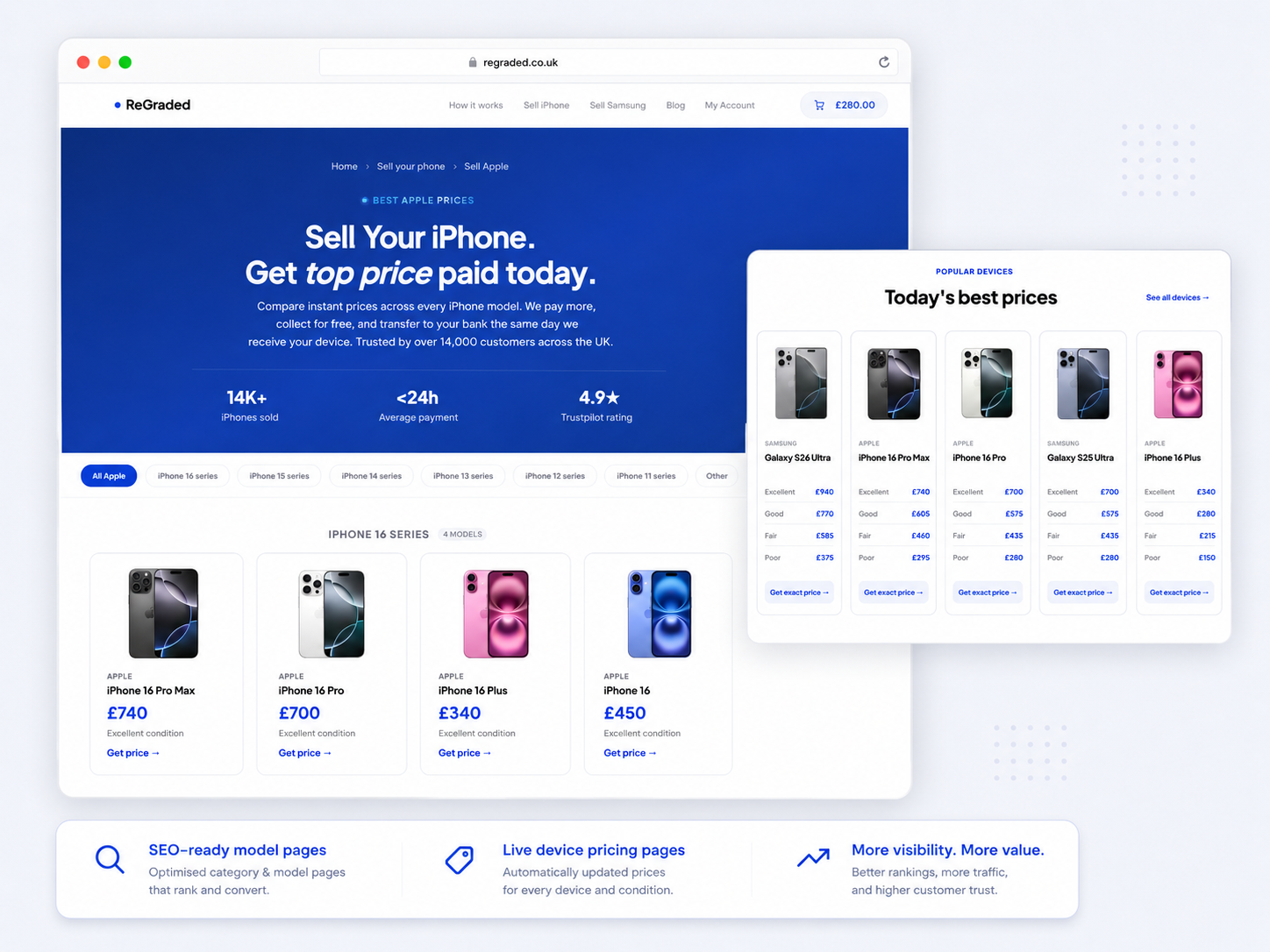
Manage your whole site from one dashboard
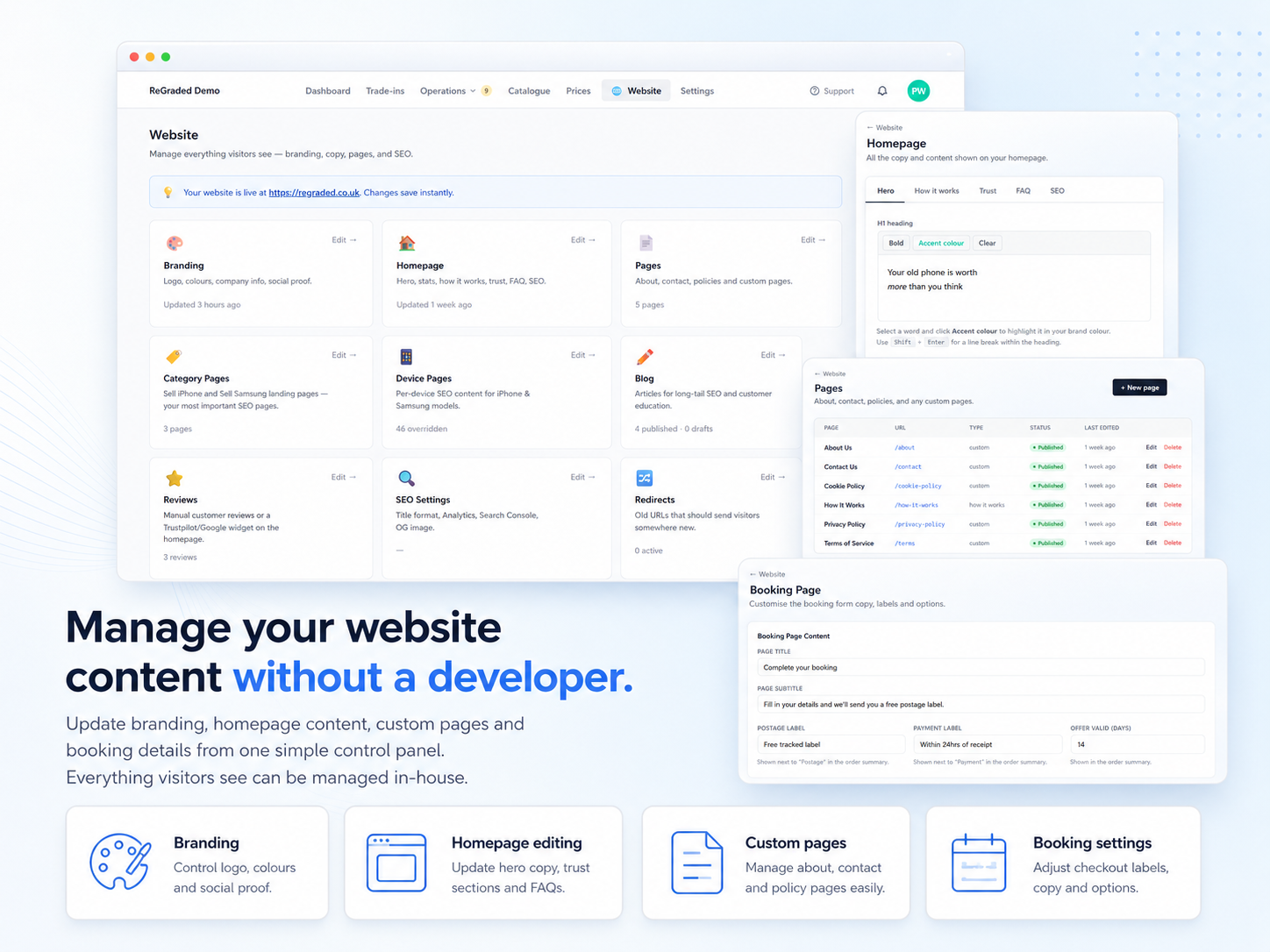
Per-page SEO, titles and meta
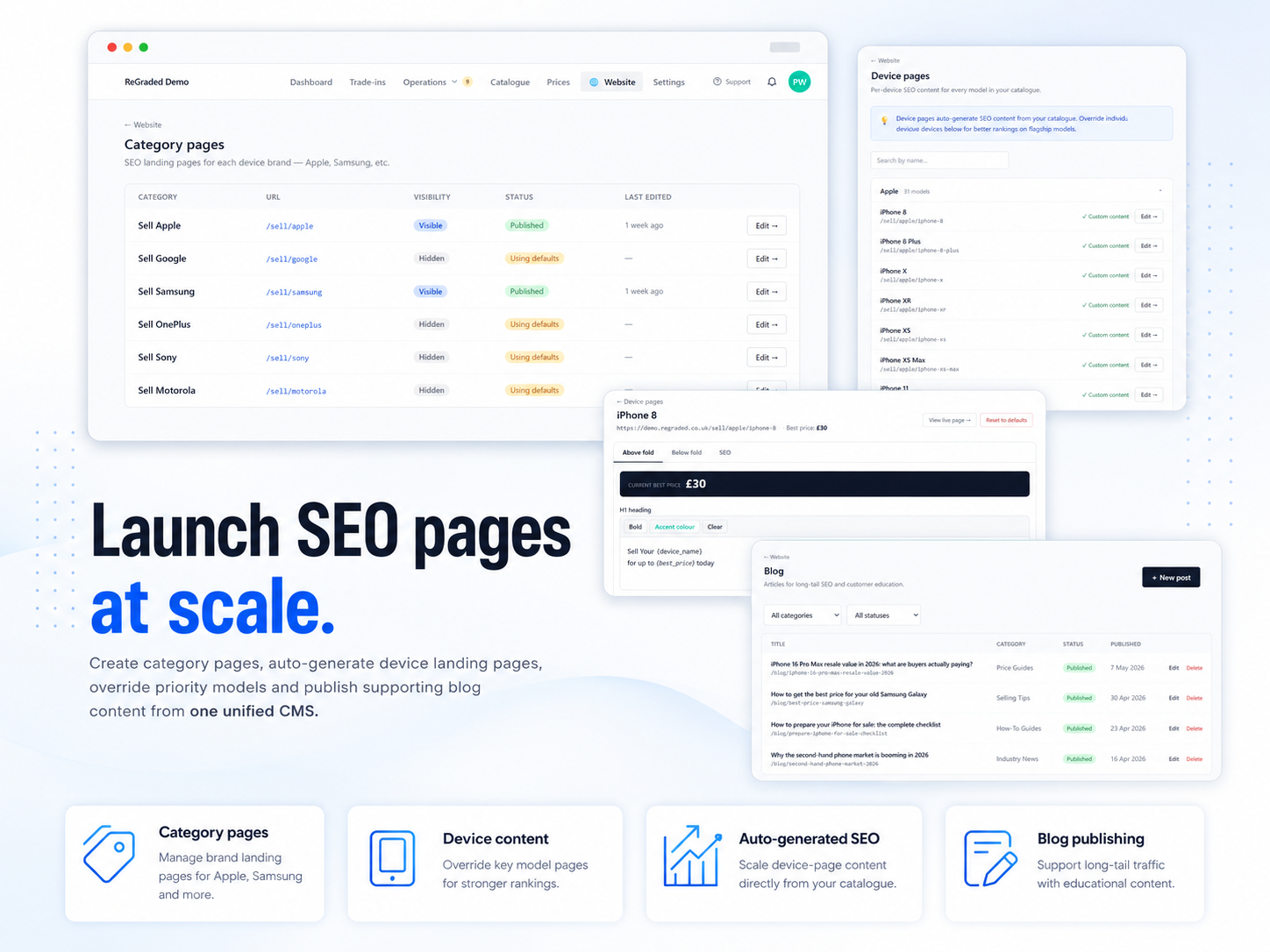
Branding and settings, no code required
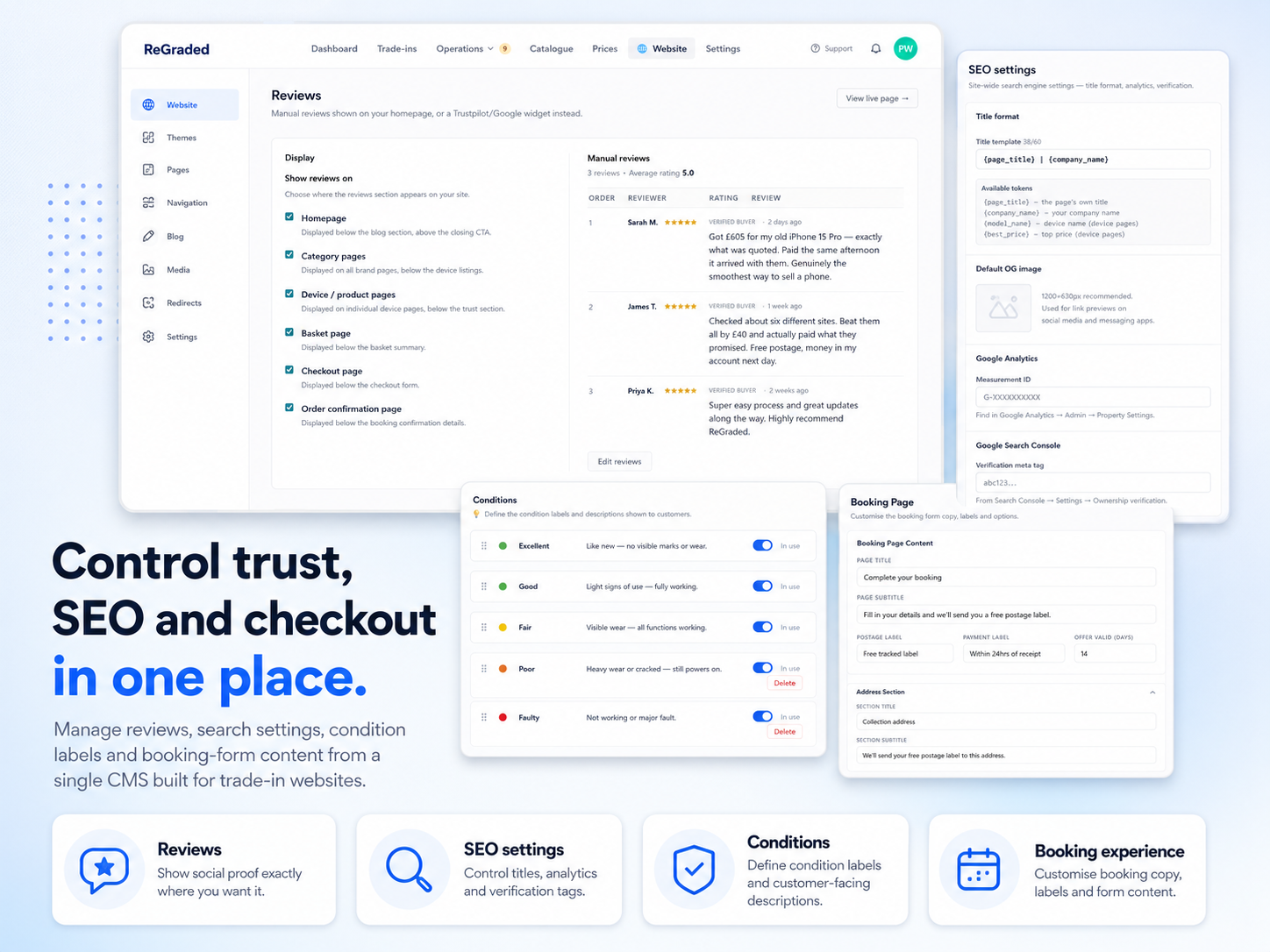
Page types
Homepage
Hero section, popular devices, how it works steps, blog posts, reviews, FAQ — all CMS-driven with shared partials for consistency.
Category Pages
Per-brand pages (/sell/apple, /sell/samsung) with trust stats, series filtering, and device grids. Newest models first, breadcrumbs in the hero.
Device Pages
Individual product pages with above-fold and below-fold CMS tabs, merge tags ({device_name}, {best_price}, {company_name}), trust bullets, FAQ, and related models.
CMS Pages
Terms, privacy, cookie policy, about, contact, how it works, condition descriptions, network information pages, and booking page customisation — all editable with rich text content blocks, FAQ blocks, and positioning controls.
Blog
Blog index with category filtering, individual posts with rich text editor, featured images, read time, and author attribution.
Reviews
Manual review CRUD or Trustpilot widget embed. Toggleable display across 6 surfaces: homepage, category pages, device pages, basket, checkout, confirmation.
CMS capabilities
Merge Tags
Dynamic content that stays current. {device_name}, {best_price}, {company_name}, {make_name} — used in headings, intros, meta titles, and CTAs so prices and names never go stale.
Content Blocks
Rich text, FAQ accordions, value lists, feature grids, and more — each with a position dropdown so you control exactly where content appears on the page.
SEO Settings
Global title template with tokens, per-page meta titles and descriptions, OG image uploads, Google Analytics measurement ID, and Search Console verification.
Visual Identity
Logo, favicon, and brand colours configurable from settings. Nav links, footer columns, and footer CTA all yours to manage.
Redirect Management
301 and 302 redirect management built in — retire old URLs or move pages without breaking links or losing SEO. Managed entirely from the admin panel.
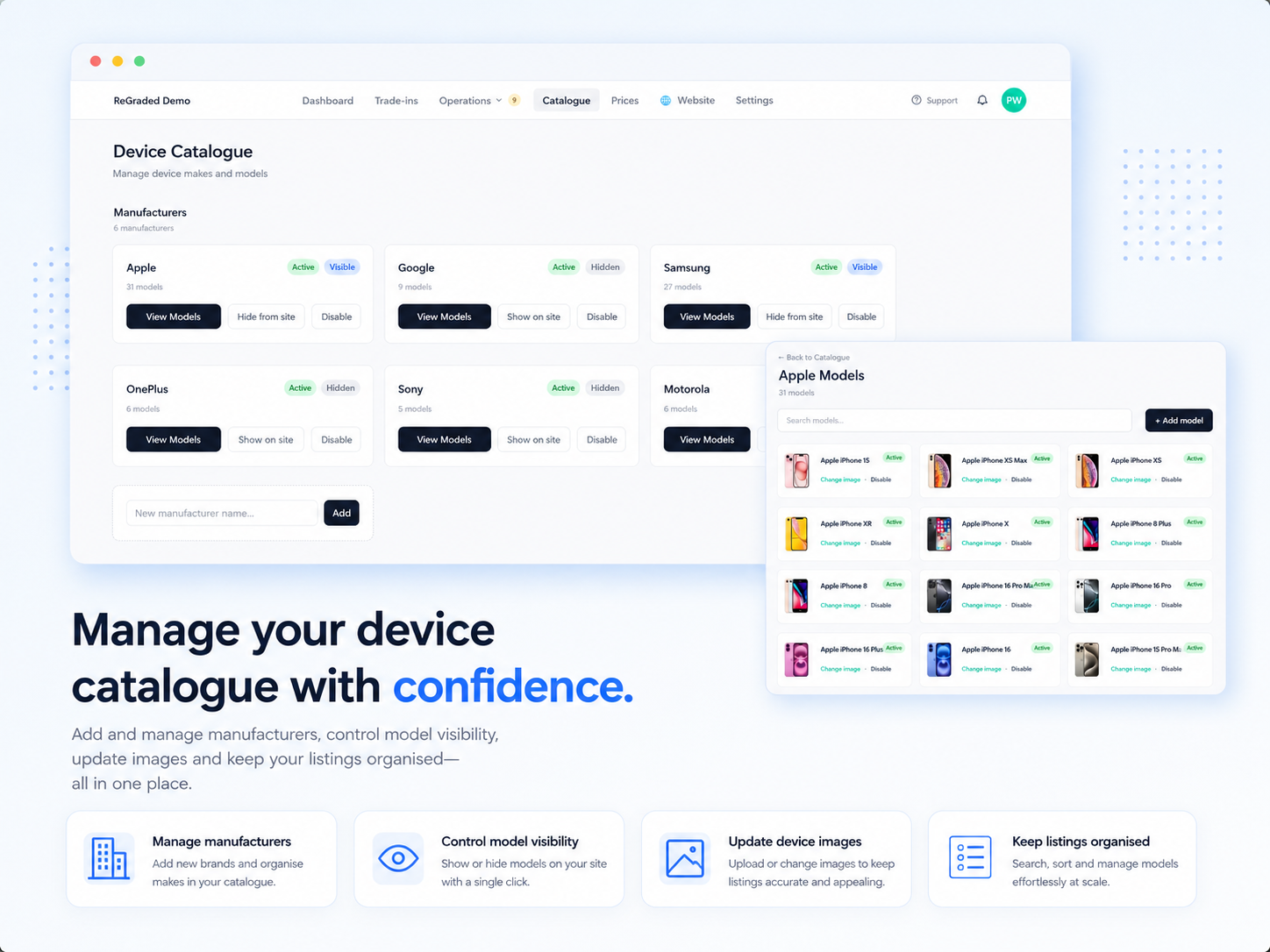
A full device catalogue, ready to edit
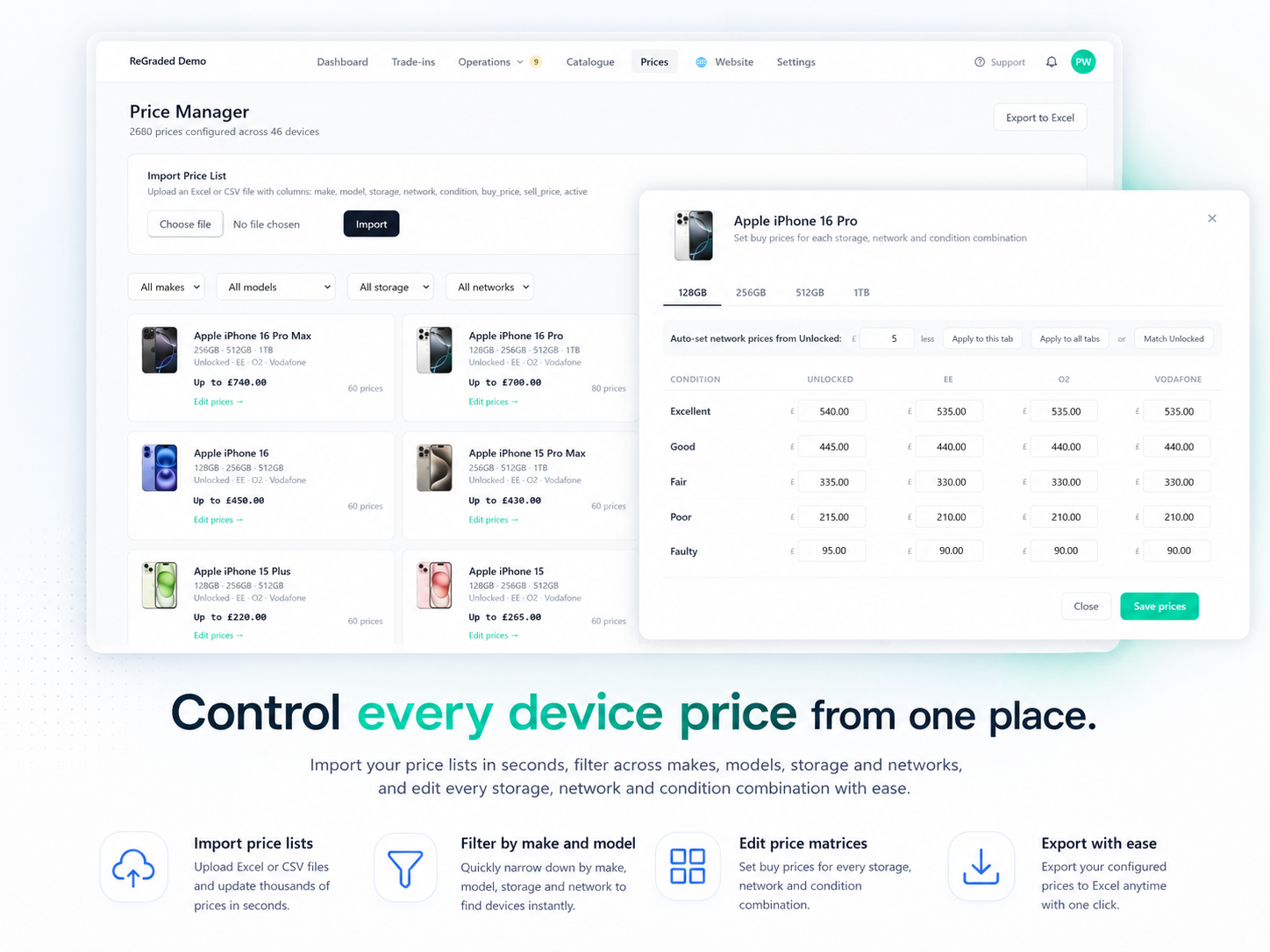
Set buy prices by condition and network
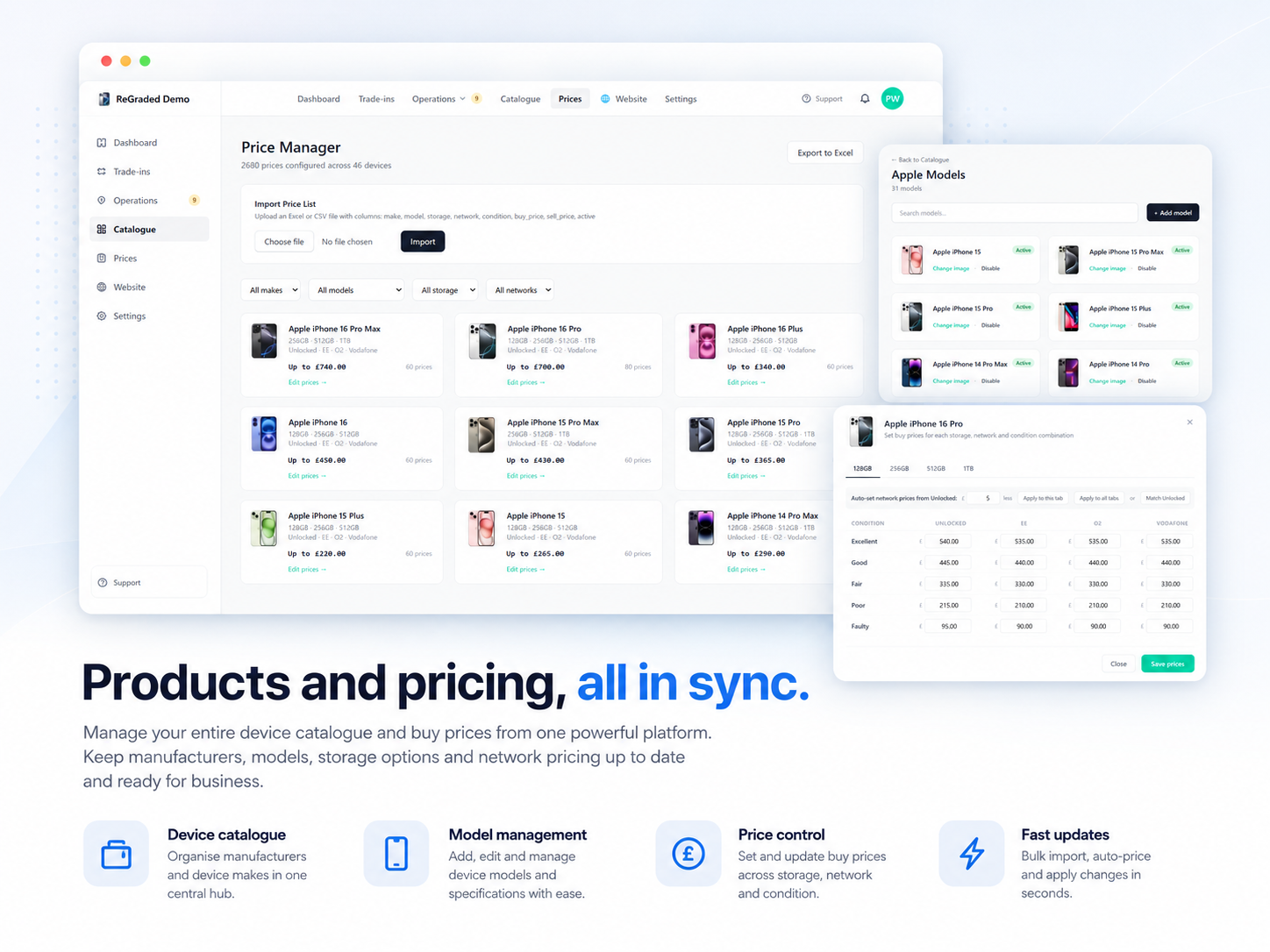
Prices at a glance across the catalogue
See the CMS in action
Book a demo and we'll show you how easy it is to manage your entire website from the admin panel.