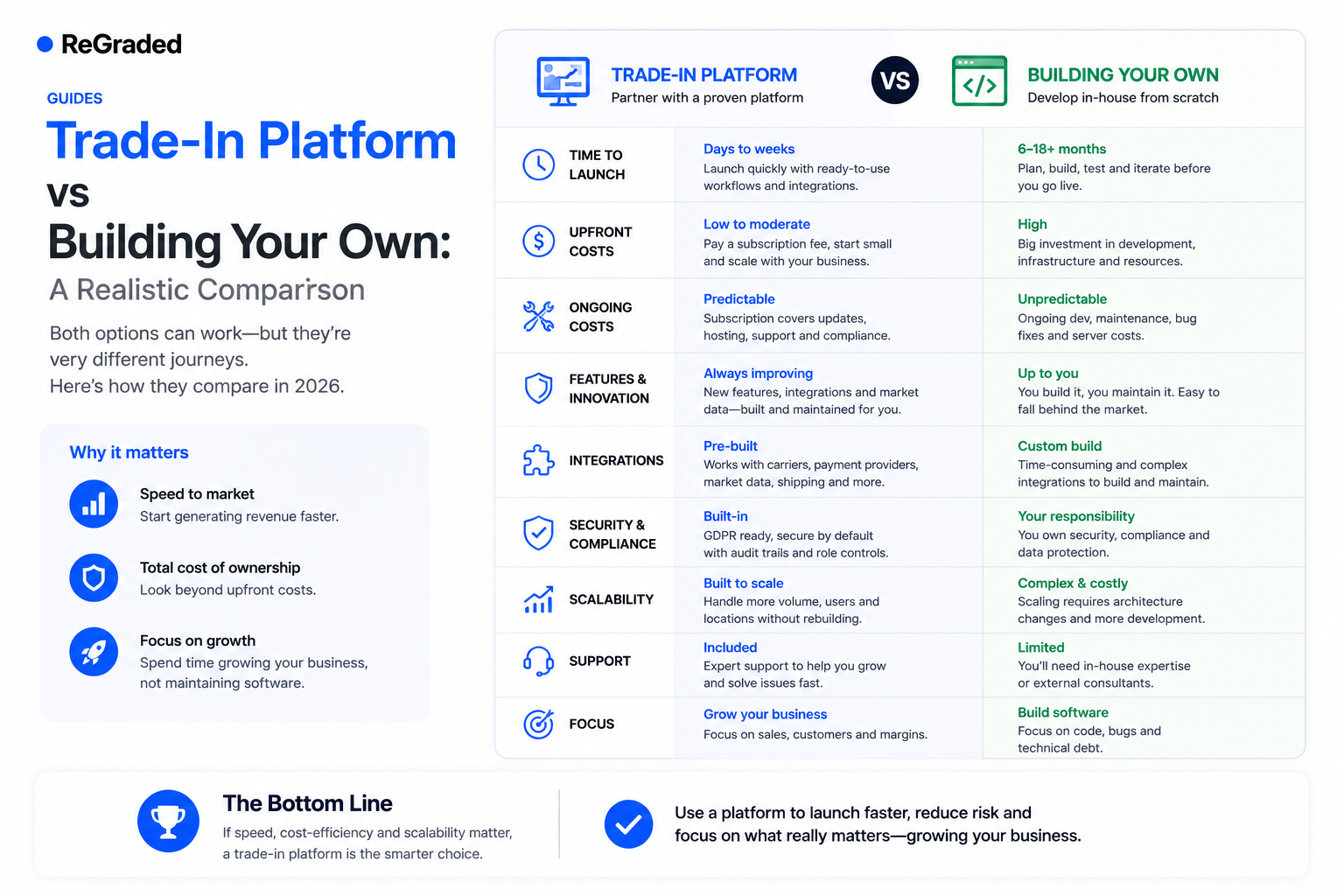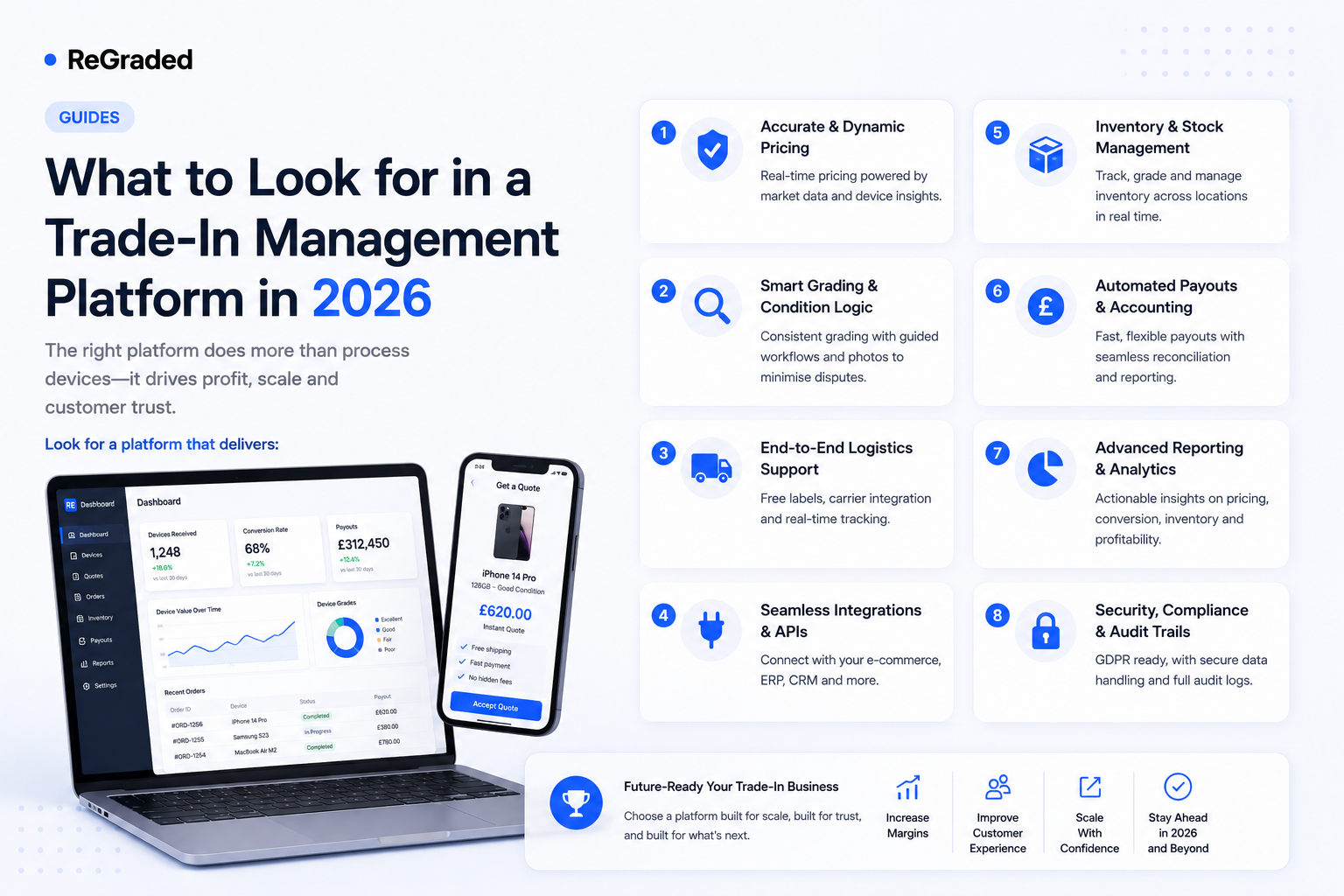
The trade-in software market has matured fast. Five years ago, most operators were running on spreadsheets or generic e-commerce tools. Today there are credible platforms in every direction — but no two are built quite the same, and the wrong choice locks you into limitations you'll feel for years. This is a working buyer's guide for 2026: the categories that actually matter, the questions to ask under each one, and the trade-offs you should be alert to.
Use it as a checklist. If a platform answers "yes, included" to most of these, you're looking at a serious operator-grade product. If it ducks them, it's probably a back-office tool dressed up as a platform.
1. Multi-channel support
The first question to ask is the simplest: how many channels does the platform actually run? A real trade-in operation almost always touches three — postal trade-ins from the customer-facing website, walk-in buying at a physical counter, and bulk orders from businesses or other traders. Many platforms only do postal well; walk-in is bolted on as an afterthought (or missing entirely), and bulk simply isn't supported.
If you ever want to run a single dashboard across every channel, this needs to be native. Trade-in management done properly puts walk-ins, postal bookings, and bulk orders into the same pipeline with the same status model — different sources, identical operational discipline.
2. White-label customer experience
Many "platforms" are really back-office tools — they assume you'll bring your own website. That sounds flexible until you discover the price tag and timeline for building one. A modern platform should give you a fully branded, customer-facing site with quote flow, device catalogue, checkout-style booking, customer accounts, and order tracking — all in your colours, your logo, your domain.
Look for depth, not just a logo upload. Can you customise the colour scheme? Do transactional emails carry your branding? Can customers log in to view past orders and update bank details? The closer the customer experience feels to your retail brand, the higher your conversion will be. Customer experience features are where the most easily-overlooked competitive advantage hides.
3. Payment processing
Payments are where amateur platforms fall apart. Ask specifically: does it process payments in batches or one customer at a time? How does it detect and recover failed payments? Can customers update bank details themselves? Does it support multiple payout methods — bank transfer and PayPal at minimum?
Manual payment processing is the single biggest hidden cost in trade-in operations. If a platform forces you to log into your bank to make 50 transfers one at a time, you'll spend half your week on payroll instead of buying devices. Proper batch payment processing turns a half-day job into a thirty-second one.
4. Shipping integration
Free, trackable postage is the new baseline expectation for postal trade-ins. The platform should generate Royal Mail (or equivalent) labels automatically when a customer books, sync tracking back into your pipeline as the device moves, and surface "still hasn't been posted after 7 days" as a workflow trigger.
If the platform asks you to "export a CSV and upload it to Royal Mail", that's not an integration — that's a manual step with extra steps. Native shipping integrations remove the friction at the moment customers are most likely to drop off.
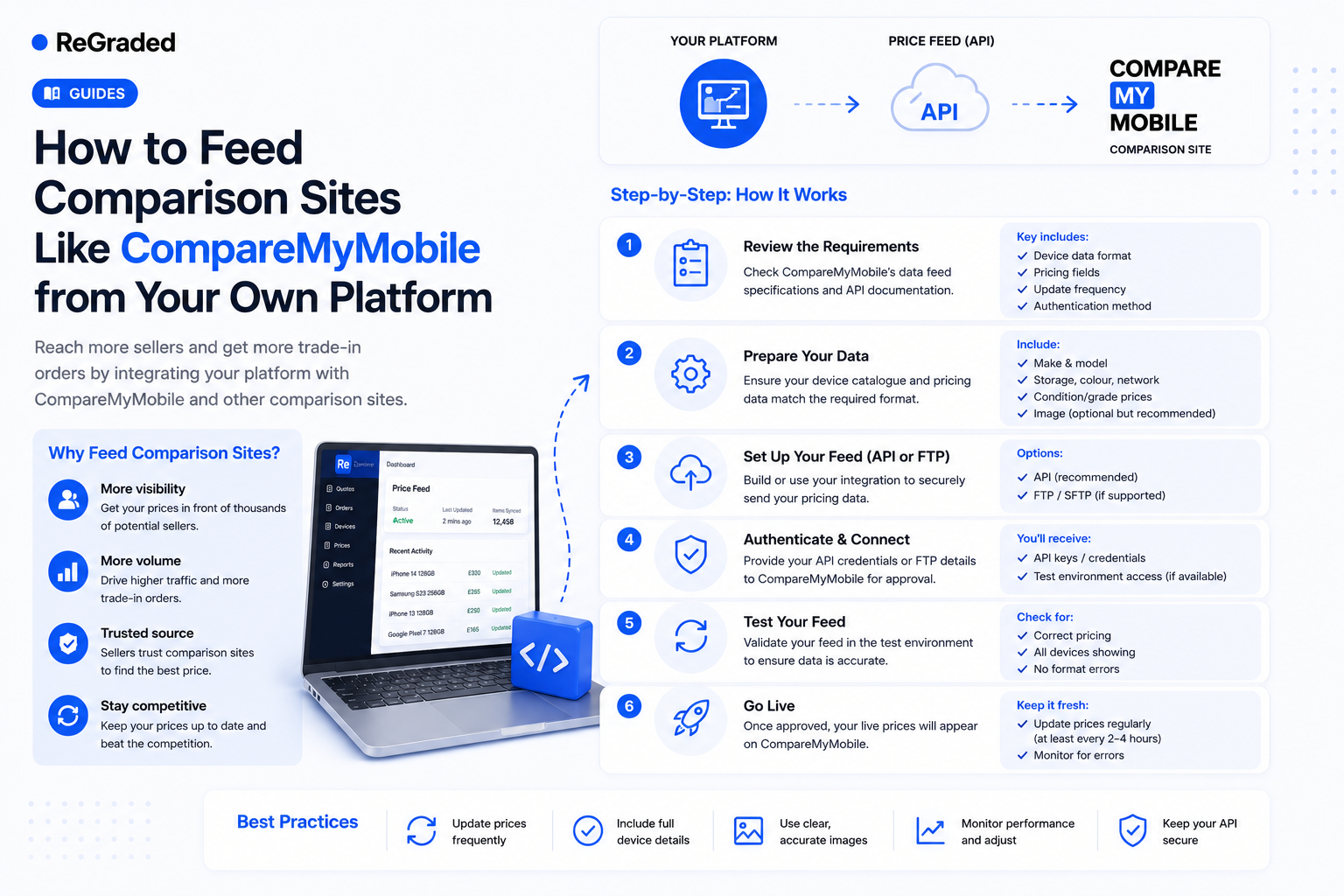
5. Comparison site feeds
Comparison sites — CompareMyMobile, Compare and Recycle, SellCell — drive enormous volumes of high-intent trade-in traffic. A platform that lets you feed them automatically from your own pricing (rather than maintaining listings by hand on each site) is fundamentally a different commercial proposition. Ask specifically: can the platform generate a pricing feed? Does it support inbound order postback? Can you control comparison-site pricing independently of website pricing? This is one of the highest-leverage capabilities you can buy.
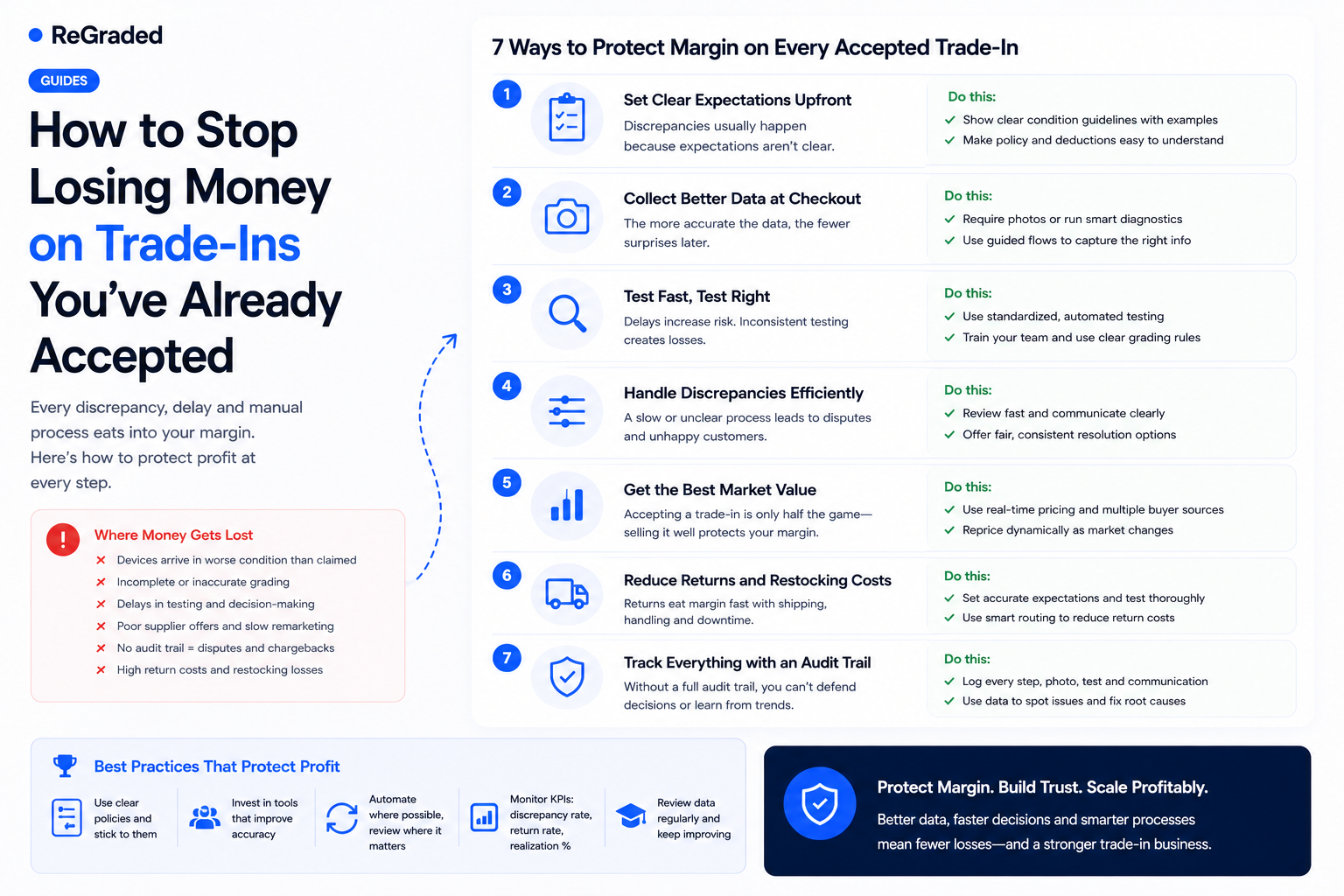
6. Grading, testing, and audit trail
Inspection is where margin is won or lost. The platform should support configurable testing checklists per device type, structured pass/fail capture, photo evidence on every device, and a complete event log of who did what and when. Generic platforms give you a free-text "notes" field; serious ones give you a verifiable audit trail. Ask to see what an inspector's screen looks like, and what a manager's view of "all devices graded today" looks like — those two screens tell you whether the platform was designed for operations or for demos. The operations and workflow layer is the daily reality of running a trade-in business; don't skip it.
7. Security, isolation, and data integrity
You are handling customer bank details and government-issued ID. The platform must encrypt sensitive fields at rest, enforce role-based access, and — if you ever run more than one brand — provide proper tenant isolation. If the answer to "where does customer bank data sit?" is vague, walk away. Platform security and integrity isn't a checkbox; it's the foundation everything else sits on.
8. Pricing model — and what's actually included
Be careful here. Some platforms advertise a low monthly rate but charge per transaction, gate critical features behind enterprise tiers, or bill separately for comparison site feeds, branded emails, or walk-in support. By the time you're processing 200 devices a month, the headline price is irrelevant. Ask: are all features included at every tier, or do critical capabilities sit behind upgrades? Predictable, all-inclusive pricing matters more than the absolute number, because it lets you forecast and grow without constantly renegotiating.
A bonus question: who built it?
You can tell a lot about a platform by the team behind it. Was it built by software people who imagined what a trade-in operation might need, or by operators who lived through the pain? It shows up in the small details — the return-fee workflow, the failed-payment recovery, the configurable grading criteria — because those are the bits a non-operator wouldn't even know to build. This is exactly the territory the seven questions to ask a vendor goes deeper into; pair the two lists when you book demos.
Make the decision once
Changing platforms mid-flight is painful: data migration, customer disruption, retraining, broken comparison-site feeds. The right move is to evaluate properly the first time. Use this checklist when you book demos, send it to vendors in advance, and reward the ones who answer it concretely with screenshots rather than slogans.
If you'd like to book a demo and walk through this checklist against ReGraded specifically, we'll show you each capability live, not in a brochure. Or see the full pricing — every feature in this guide is included at every tier.