If you already run a phone shop with an EPOS or POS system, the temptation to use it for trade-ins is understandable. The system is paid for, the staff are trained on it, and on the surface it's "just another transaction". Some POS vendors even sell a "buyback module" as an add-on. In practice, the two workflows are opposites — and trying to bend a POS into a trade-in platform creates problems that look small in the demo and large in the daily reality.
POS sells. Trade-in buys.
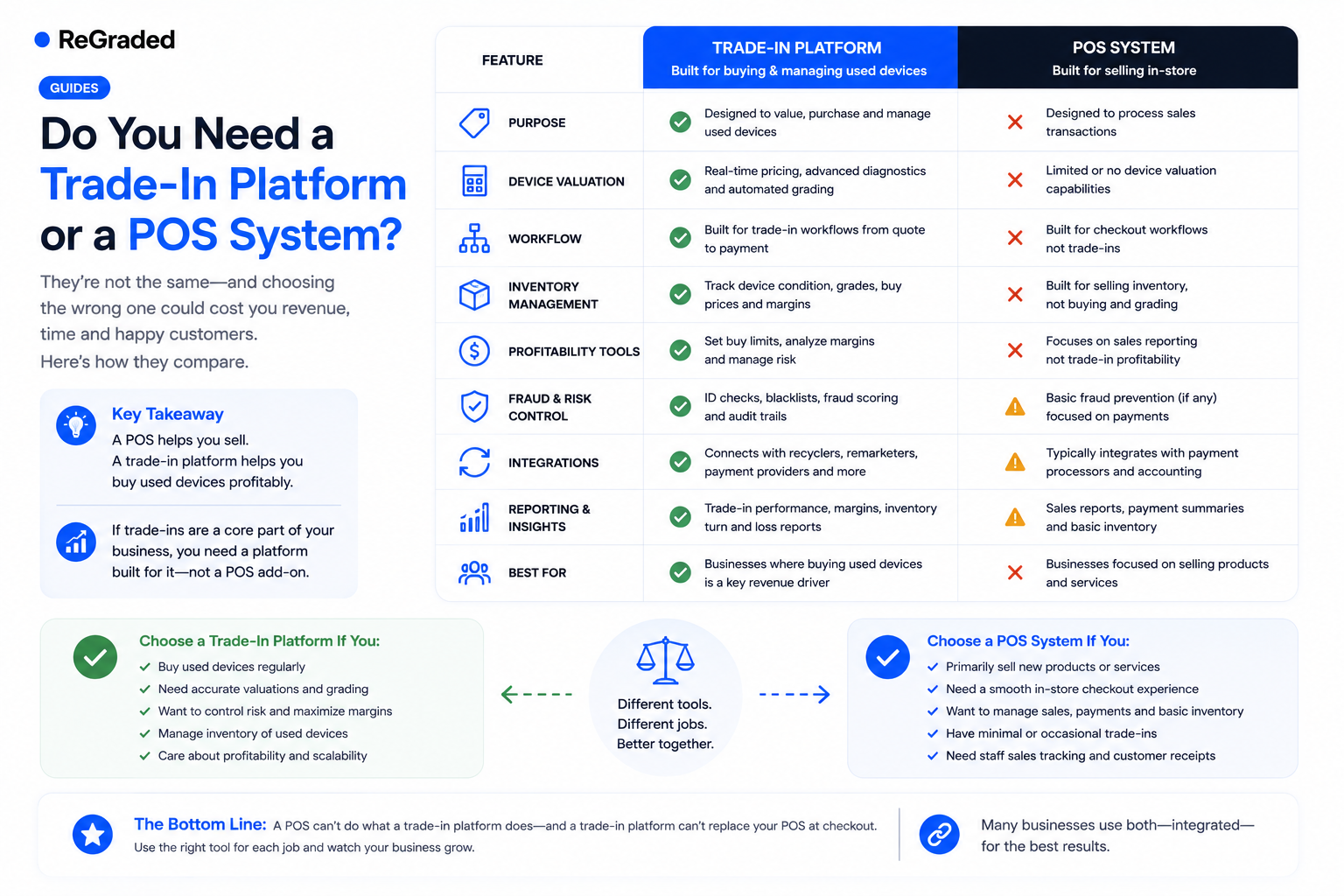
The fundamental asymmetry is this: a POS is built to take products out of your inventory and money out of the customer's pocket. A trade-in platform is built to do the inverse — take a product into your inventory from the customer and pay them. Everything downstream of that flips.
A POS thinks in fixed SKUs and inventory counts. A trade-in platform thinks in variants and conditions — the same iPhone 15 has a different price at 128GB vs 256GB, unlocked vs network-locked, mint vs scratched. A POS thinks in a single price per item; trade-in thinks in a price grid that updates weekly as used-market values drift.
A POS settles instantly at the till. Trade-in settles after a multi-day pipeline: receive, test, grade, approve, pay. The "transaction" isn't a single event — it's a workflow with eight statuses, customer communications at every step, and an audit trail that survives review months later.
What a POS genuinely can't do
Even with a "buyback module", a POS typically can't:
Run online bookings with a customer-facing website where people get a quote, book a postal trade-in, and pay via bank transfer.
Handle the postal pipeline — pre-paid labels, tracking sync, in-transit alerts, received-but-not-yet-tested queues.
Support a revaluation workflow when the device arrives worse than described — generating revised offers, capturing photo evidence, letting customers accept or request return.
Process payments in batches the way trade-in needs — and certainly not with failed-payment recovery loops.
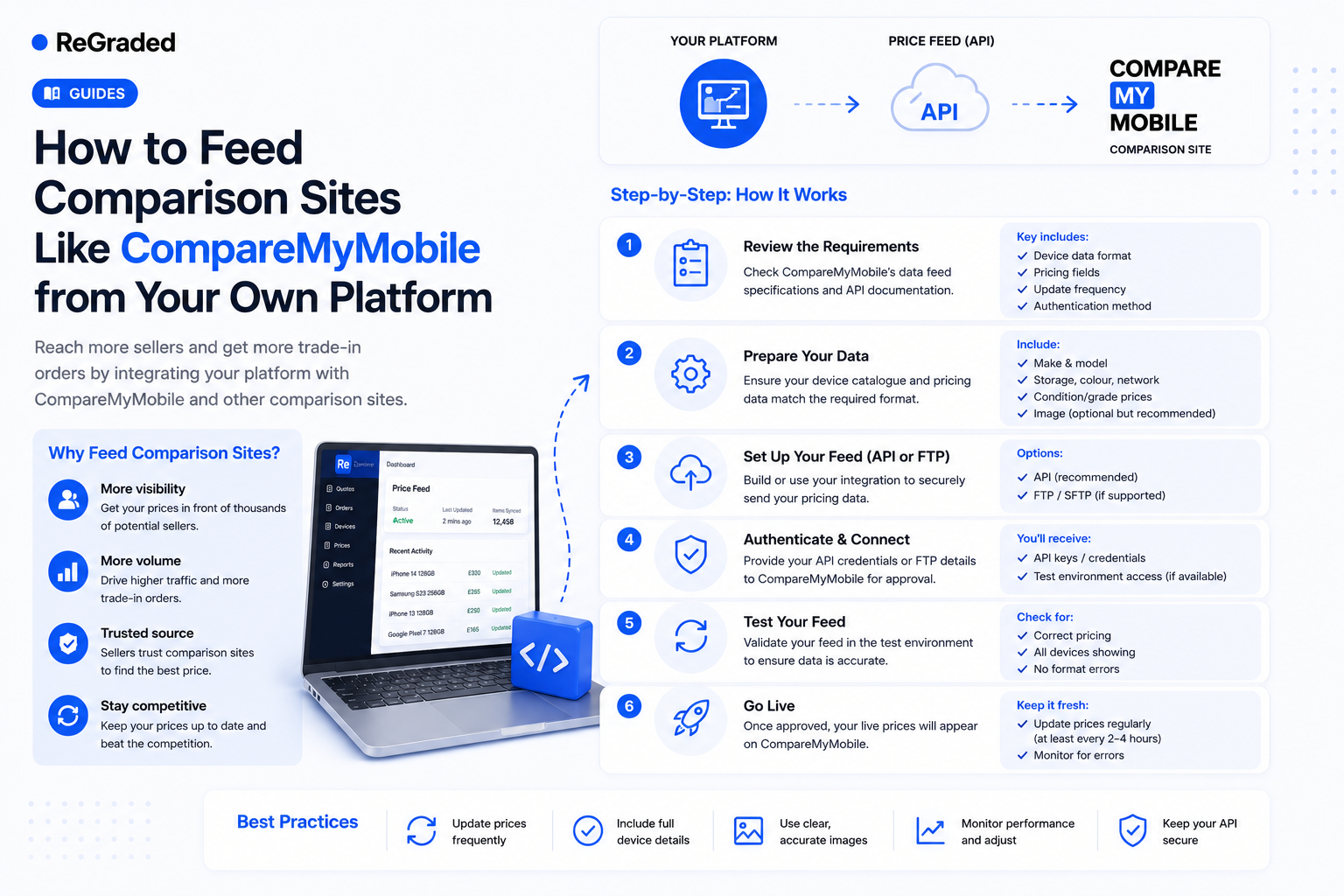
Feed comparison sites with automated pricing and inbound order postback.
Track condition-based pricing per network and storage, with comparison-site overrides.
Drive transactional email sequences — booking confirmation, label, in-transit, received, tested, paid — branded to your business.
Maintain a forensic audit trail per device, with staff attribution and photo evidence.
You can't bolt these on; they're the system. A POS that doesn't do them is a POS, not a trade-in platform. A proper trade-in platform is built around exactly this list.
What a trade-in platform doesn't need to do
To be fair to POS systems, they handle a lot that trade-in platforms don't try to. A POS manages till operations, cash drawers, VAT receipts for retail sales, EPOS-style barcode scanning of retail SKUs, daily Z-readings, and integration with stock-management systems for your sellable inventory. None of that is relevant to buying devices from customers; all of it is essential to selling devices to them.
This is why the answer for most operators isn't "either-or" — it's "both, doing what each is good at".
Walk-in buying is the closest the two get
The one area where the systems overlap is in-store trade-ins. A customer walks into your shop, you grade their phone at the counter, you pay them in cash or by transfer, and they leave. This looks like a POS transaction. The difference is what surrounds it: you need ID capture for compliance, condition grading against your standard checklist, per-device audit trail, customer record for repeat business, and the device entering your pipeline alongside postal and bulk bookings.
A purpose-built walk-in module — counter buying with instant payment, ID capture, audit trail, and pipeline integration — does this without bending a POS. Our existing piece on walk-in vs online goes deeper into how this looks day-to-day. For independent retailers in particular, the walk-in workflow is often where 60% of the volume sits.
The hybrid model that works
The cleanest setup for most phone shops is: POS for everything sold (new phones, accessories, repairs), trade-in platform for everything bought (postal, walk-in, bulk). They live alongside each other. Staff who do both — and they usually do — switch between them naturally because each one is right for what it does.
It's tempting to "consolidate" onto one system, but consolidation isn't a virtue when the systems are fundamentally different. The cost of running two purpose-built tools is almost always lower than the cost of forcing one tool to do both jobs badly. We cover this more broadly in how phone shops graduate from POS-only to platform.
The decision in one question
Ask yourself this: when a customer wants to sell you their phone today, does your current system give them a quote, a postage label, a status page, an audit trail, and a clean revaluation path if it arrives worse than described? If not, you have a POS, not a trade-in platform. The two aren't in competition; they're tools for opposite halves of your business.
If you'd like to see how a trade-in platform sits alongside a POS, we'll walk through the day-to-day workflow of a phone shop running both. Pricing includes the full walk-in module at every tier, so the in-store side is covered from day one.